Saturday, 18 November 2017

10 Best Password Cracking Tools

10 Best Password Cracking Tools | Windows, Linux, OS X

Short Bytes: Password cracking is an integral part of digital forensics and pentesting. Keeping that in mind, we have prepared a list of the top 10 best password cracking tools that are widely used by ethical hackers and cybersecurity experts. These tools–including the likes of Aircrack, John the Ripper, and THC Hydra–use different algorithms and protocols to crack the passwords on a Windows, Linux, and OS X system.

What is password cracking?

In the field of cybersecurity and cryptography, password cracking plays a very major role. It’s basically the process of recovering passwords to breach (or restore) the security of a computer system. You can easily relate it to repeatedly guessing your phone’s unlock pattern or pin.

So, why do we need to learn about password cracking and the tools used to do so? The purpose of password cracking revolves around recovering the forgotten passwords of our online accounts, computers, and smartphones. Password cracking is also used by system administrators as a preventive measure. They keep checking them on the regular basis to look for the weak links.

Talking about the process of password cracking, most methods involve the use of a computer that generates a vast set of password candidates. A desktop computer tests more than hundreds of millions of passwords per second. A password cracking tool performs this task easily and checks these candidates to reveal the actual password.

The time needed to crack a password is proportional to the length and strength of that password. That’s why users are advised to use complex passwords that are harder to guess. The password cracking speed of a tool also depends heavily on the cryptographic function that’s used to generate password hashes. Thus, a potent hashing function like bcrypt is preferred over the likes of SHA and MD5.

Types of password cracking attacks:

Here’s I’ll be listing various types of password cracking attacks that are generally used by attackers:

Dictionary attack: This attack uses a file that contains a list of words that are found in the dictionary. This mode matches different combinations of those words to crack your device open.Brute force attack: Apart from the dictionary words, brute force attack makes use of non-dictionary words too.Rainbow table attack: This attack comes along with pre-computed hashes. Thus, this method is faster.

There are lots of other password cracking techniques like phishing, spidering, social engineering, shoulder surfing etc. Soon, I’ll be discussing them in detail in another article. So, let’s get started with our list of the best password cracking tools of 2016.

Best Password Cracking Tools Of 2016:

Disclaimer: fossBytes is publishing this list just for educational purposes. We don’t promote malicious and unethical practices.

John the Ripper | Best Password Cracking Tools Of 2016

John the Ripper is one of the most popular password cracking tools available around. This free password cracking tool is chiefly written in C programming language. Encompassing a customizable password cracker, John the Ripper comes as a combination of many password crackers into one suite.

Its ability to autodetect password hashtypes, makes it a preferred choice of ethical hackers to ensure security. A pro version of this tool is also available, offering better features and more effectiveness. Just like the popular hacking tool Metasploit, John also belongs to the Raspid7 family of security tools.

Supported platforms: John the Ripper is available for all major platforms, including Linux, Windows, DOS, and OS X.

Download link: John the Ripper

Aircrack-ng | Best Password Cracking Tools Of 2016

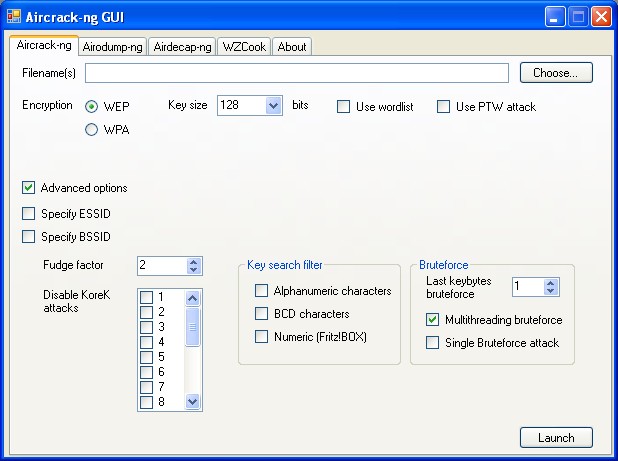
Aircrack-ng (ng stands for new generation) is one of the best password cracking tools that hackers use to bump their annoying neighbors off their own Wi-Fi. Note that just like John the Ripper, Aircrack-ng is not a single tool. Instead, it’s a complete software suite that’s used to play with Wi-Fi networks.

In this free suite, you get a tool named aircrack that hackers use to crack WPA or WEP passwords. After analyzing the encrypted password packets, aircrack uses its cracking algorithm to break the passwords.

Using the well know attack techniques like FMS, this password cracking tool makes your job easier. Recently, a new attack named “PTW” has been included in the suite, which reduces the number of initialization vectors to break a WEP key.

Supported platforms: Aircrack is available for Linux, OpenBSD, FreeBSD, OX X, Windows, Android

Download link: Aircrack-ng

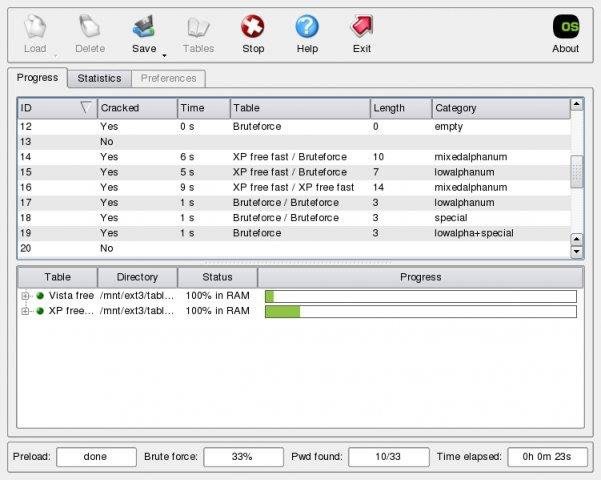
RainbowCrack | Best Password Cracking Tools Of 2016

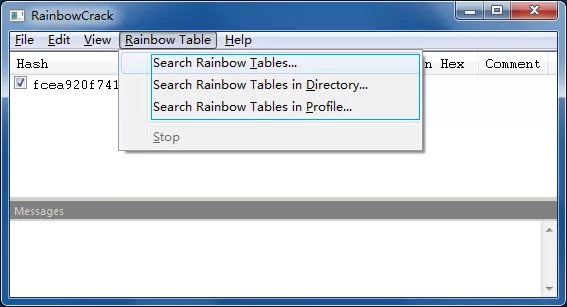
As the name suggests, RainbowCrack makes use of rainbow tables to crack password hashes. Using a large-scale time-memory trade-off, RainbowCrack performs an advance cracking time computation. According to your convenience, you are free to use the command line or graphical interface of RainbowCrack.

Once the pre-computation stage is completed, this top password cracking tool is about hundreds of times faster than a brute force attack. You also don’t need to prepare the rainbow tables yourselves. The developers have made different rainbow tables for LM, NTLM, MD5 and SHA1 available for free.

RainbowCrack’s GPU acceleration is another key feature that allows this free password cracking tool to offload the runtime computation to GPUs, reducing the cracking time even further.

Supported platforms: RainbowCrack is available for Windows and Linux

Download link: RainbowCrack

Cain and Abel | Best Password Cracking Tools Of 2016

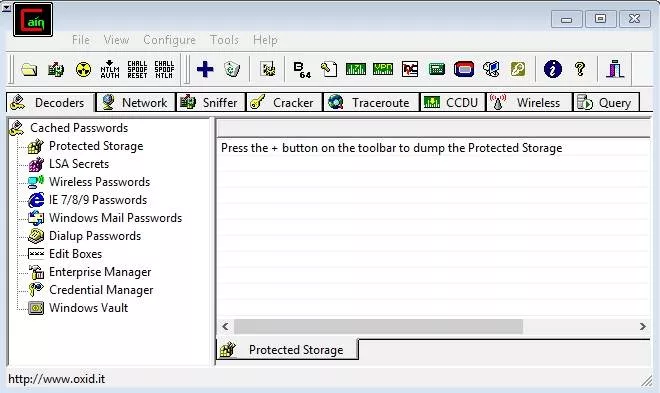
This renowned password cracking tool is a dependable software to recover various types of passwords using multiple techniques. Cain and Able lets you easily perform Dictionary, Brute-Force, and Cryptoanalysis attacks to crack encrypted passwords.

This multi-purpose hacking tool also comes with the ability to sniff the networks, record VoIP conversations, recover network keys, decode scrambled passwords, and analyze routing protocols.

Cain and Abel has two components. While Cain is the frontend application to recover your passwords and perform sniffing, Able is a Windows NT service that performs the role of traffic scrambling.

Supported Platforms: Cain and Abel is available for Windows

Download link: Cain and Abel

THC Hydra | Best Password Cracking Tools Of 2016

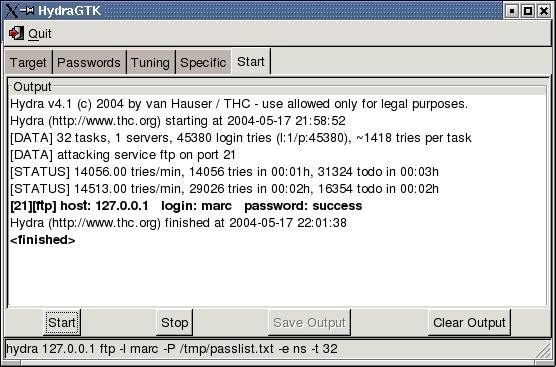
Compared to other top password cracking tools, THC Hydra performs hacking attacks using numerous network protocols, including the likes of Asterisk, FTP, HTTP-Proxy, MYSQL, XMPP, Telnet, and more. Using these protocols, THC Hydra performs super fast brute-force and dictionary attacks against a login page.

This free-to-use tool helps the pentesters and security researchers to know how easy it would be to gain remote access to a system. This tool also lets you add new modules to increase the functionality. Via its GitHub page, you can also participate in the development process of THC Hydra.

Supported Platforms: THC Hydra is available for Windows, Linux, Solaris, FreeBSD, OS X

Download link: THC Hydra

Find Best Courses On Hacking And Pentesting Here

HashCat | Best Password Cracking Tools Of 2016

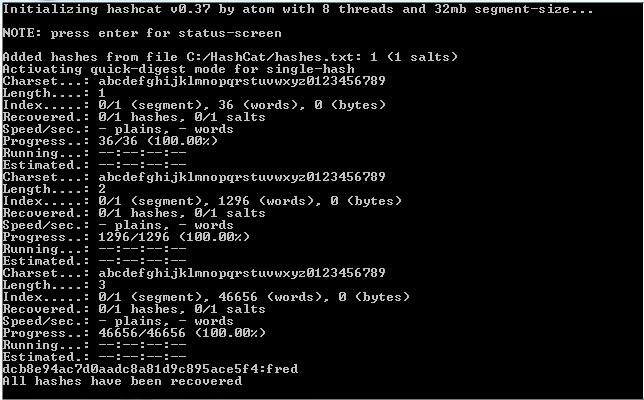
HashCat claims to be the fastest and most advanced password cracking software available. Released as a free and open source software, HashCat supports algorithm like MD4, MD5, Microsoft LM hashes, SHA-family, MySQL, Cisco PIX, and Unix Crypt formats.

This password cracking tool comes in both CPU-based and GPU-based versions, HashCat and oclHashcat/cudaHashcat, respectively. Using a well-documented GPU acceleration, many algorithms can be easily cracked using this tool.

Different types of attacks performed by this tool include brute force attack, combinator attack, fingerprint attack, dictionary attack, hybrid attack, mask attack, table-lookup attack, PRINCE attack, permutation attack etc.

Supported Platforms: HashCat is available for Windows, Linux, OS X

Download link: HashCat

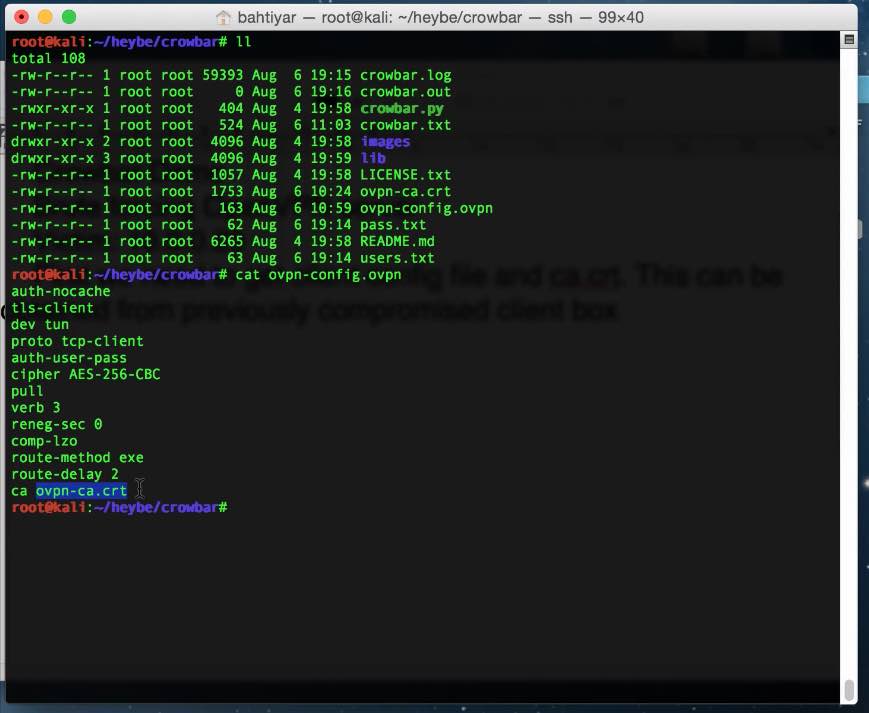
Crowbar | Best Password Cracking Tools Of 2016

Crowbar is a brute forcing tool that’s widely popular in the pen testing scene. It gives you the control to decide what’s submitted to a web server. While most brute forcing tools use username and password to deploy SSH brute force, Crowbar makes use of SSH keys obtained during penetration tests.

This free tool is created to support the protocols that are rarely supported by other popular password cracking tools. Currently, Crowbar supports VNC key authentication, OpenVPN, SSP private key authentication, and Remote Desktop Protocol with NLA support.

Supported Platforms: Crowbar is available for Windows, Linux, OS X

Download link: Crowbar

OphCrack | Best Password Cracking Tools Of 2016

Just like RainbowCrack, OphCrack is another popular and free password cracking tool that uses rainbow tables to crack the password hashes. It’s widely used to crack Windows log-in passwords. Thanks to its ability to import and use hashes from multiple formats and sources, OphCrack is known to crack the passwords of a Windows computer in few minutes.

Available conveniently as a Live CD, a pentester can use it and leave no trace behind. For cracking Windows XP, Vista, and 7, one can also grab freely available rainbow tables. For professional use, larger tables are available for purchase.

Supported Platforms: OphCrack is available for Windows

Download link: OphCrack

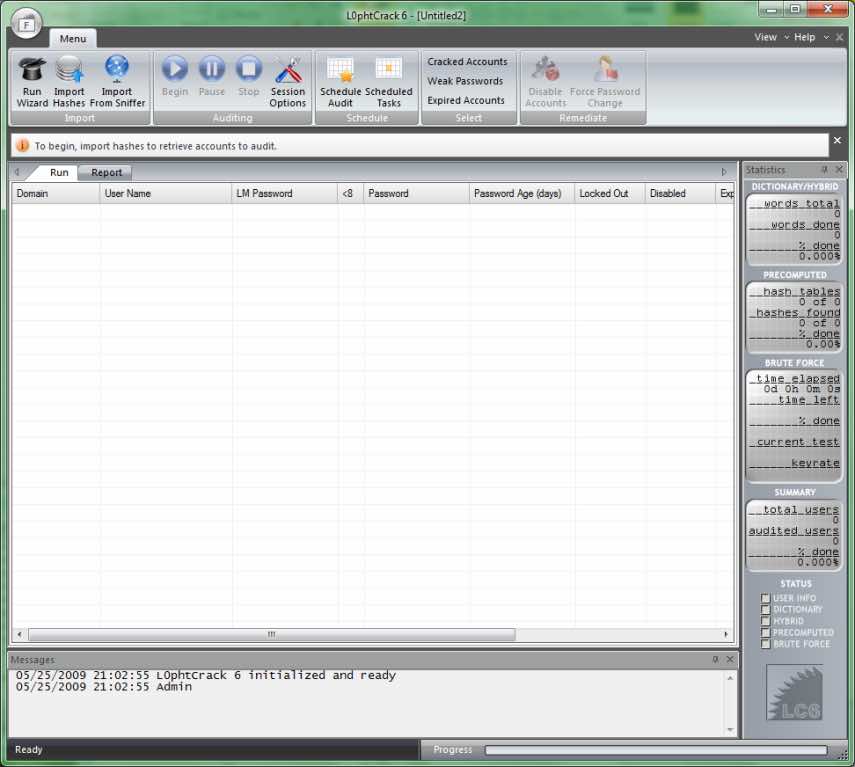
L0phtCrack | Best Password Cracking Tools Of 2016

Just like OphCrack, L0phtCrack is known for easily cracking Windows passwords. Using a wide set of attacks like dictionary, hybrid, brute force, and rainbow tables, this password cracking tool can also be deemed useful in sniffing hashes.

It’s a great way to target Windows desktops, networked servers, Active Directory, and primary domain controllers. Its schedule routine audit functionality lets you perform scans at a convenient time.

Supported Platforms: L0phtCrack is available for Windows

Download link: L0phtCrack

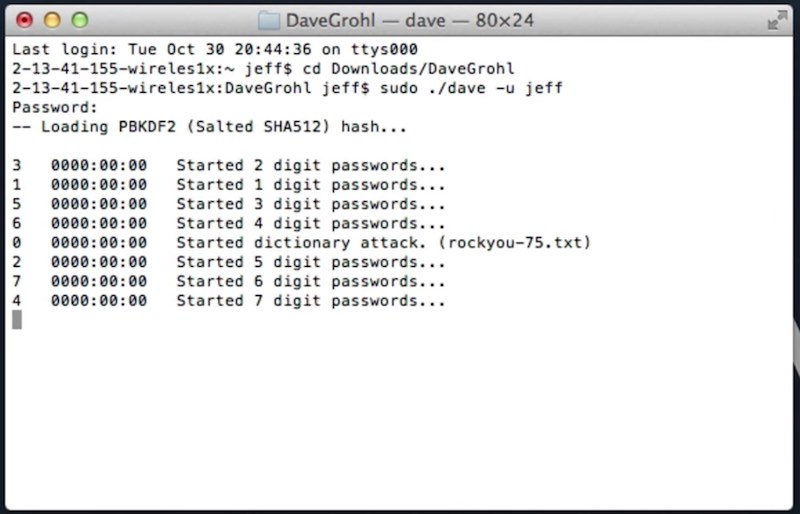
DaveGrohl | Best Password Cracking Tools Of 2016

For Mac OS X, DaveGrohl is an open source password cracking tool that’s preferred by the Apple security experts. With a completely modern object-oriented codebase in Version 3.0, DaveGrohl has been made more useful for developers and users.

With the help of dictionary and incremental attacks, this tool lets you crack a password in minutes. Its distributed mode allows you to perform attacks using different computers and crack the same password hash for faster results.

Supported Platforms: DaveGrohl is available for OS X

Download link: DaveGrohl

Did you find this article helpful? Don’t forget to drop your feedback in the comments section below.

Thursday, 16 November 2017

AttackSelector: Burp Suite Attack Selector Plugin

AttackSelector: Burp Suite Attack Selector Plugin

Burp Attack Selector Plugin

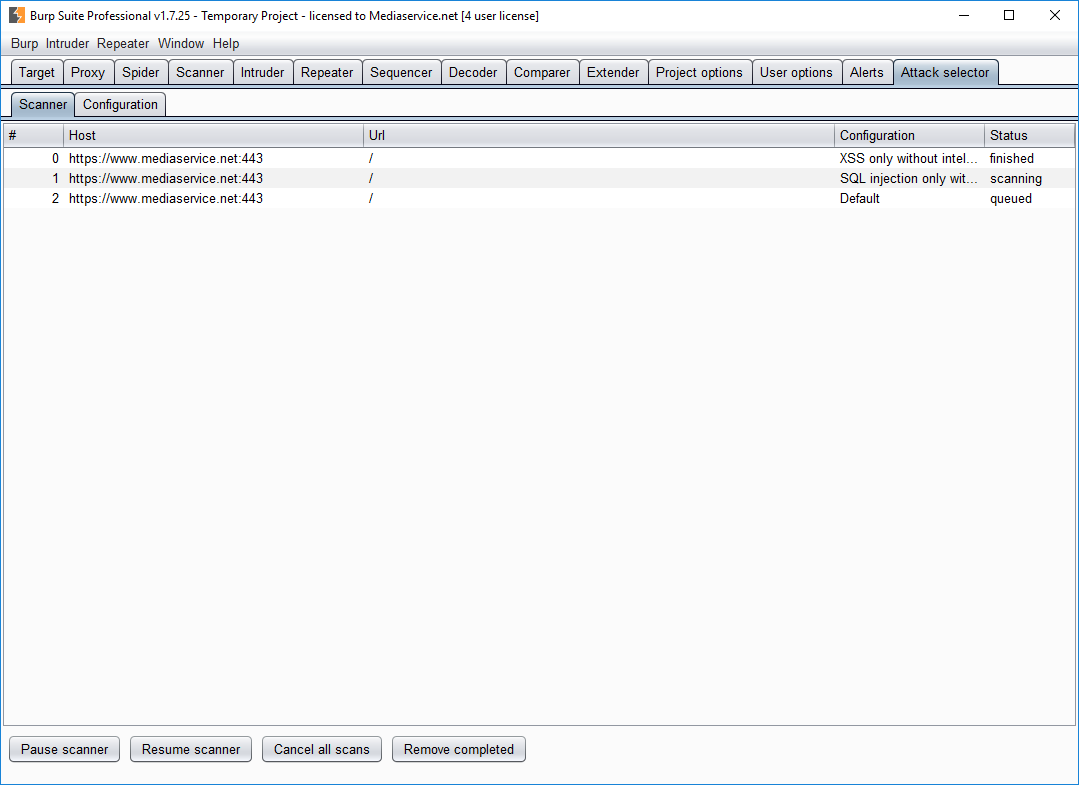
During latest years Burp Suite scanner checks has been expanded a lot, but unfortunately, the need for a scan time compromise has limited notably the checks executed during the scans with “Intelligent check” enabled. The current standard configuration will allow you to find the main issues but will not identify some kinds of problem. Also by modifying the Burp configuration, you will not be able to manage correctly the scans due to some actual Burp limitations.

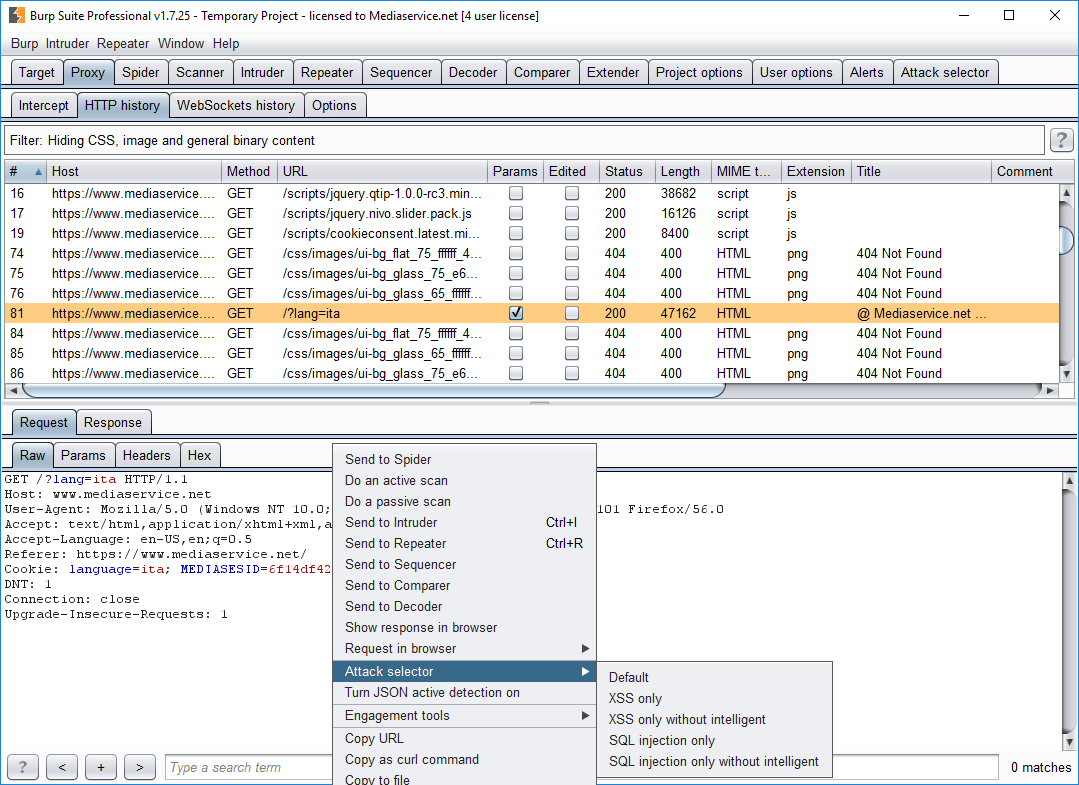
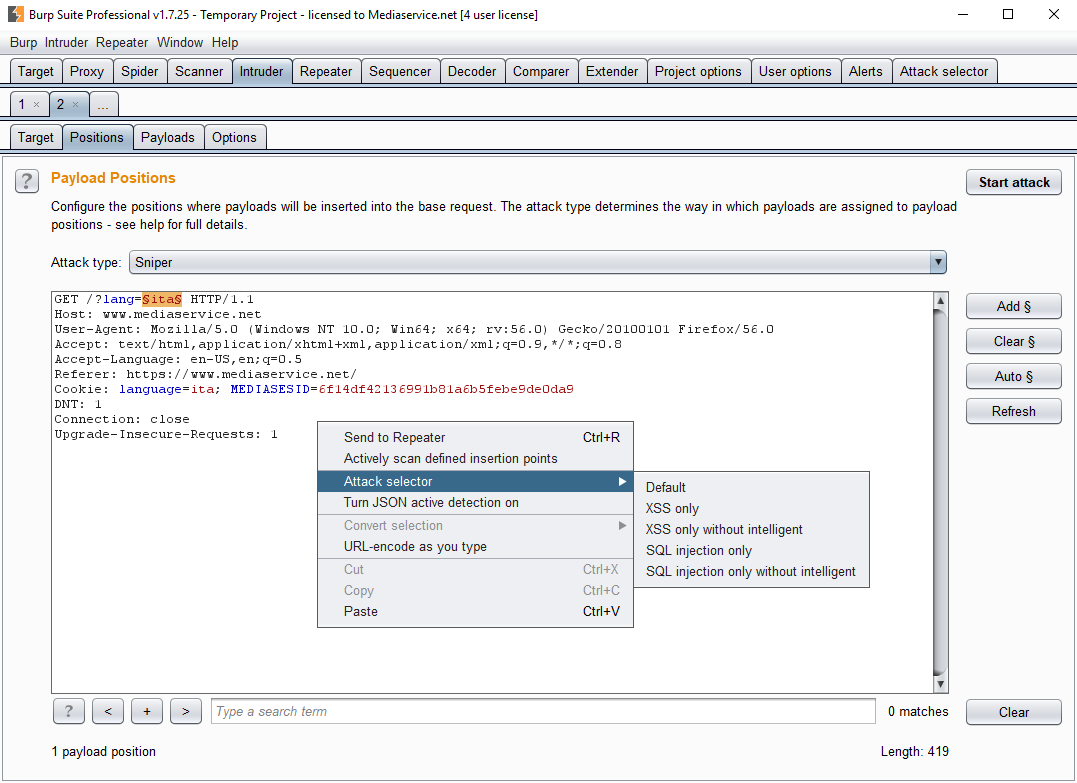
This plugin will let you configure different settings for Burp active scanner and create some custom scanner configuration that can be launched via the menu. The plugin will automatically manage the new queue and run scans with the different configuration.

Please note that when using this plugin you should NOT use the normal active scanner nor modify Burp scanning configuration, by default the scanner will use the current configuration, so will execute only the tests configured in the running scan of this plugin. For this purpose, we created a “default” scan configuration in this plugin that will allow you “simulate” the standard active scan, but it will be managed inside of the plugin so will be compatible with our others scans.

During last week I discovered that Burp Developers are planning to add some new features like the queue management, maybe in some month my plugin will be unuseful 😉

I have to thank Federico Dotta for introducing me to Burp plugin programming and for the help given during the writing of this plugin.

Download

Usage

When the plugin is added to Burp Suite a new tab will appear. This tab will allow you to see the plugin queue and configure your custom scanner configuration. After that, you will able to launch the scan with that configuration via the content menu created.

 Source: https://github.com/inode-/AttackSelector

CrunchRAT: HTTPS-based Remote Administration Tool (RAT)

CrunchRAT: HTTPS-based Remote Administration Tool (RAT)

CrunchRAT

CrunchRAT currently supports the following features:

File uploadFile downloadCommand execution

It is currently single-threaded (only one task at a time), but multi-threading (or multi-tasking) is currently in the works. Additional features will be included at a later date.

Download

git clone https://github.com/t3ntman/CrunchRAT.git


Setup

Server

The server-side of the RAT uses PHP and MySQL. The server-side of the RAT has been tested and works on the following:

Ubuntu 15.10 (Desktop or Server edition)Ubuntu 16.04 (Desktop or Server edition)

Once the latest RAT code has been downloaded, there will be three directories:

Client – Contains implant code (ignore for this section)Server – Contains server codeSetup – Contains setup files

Dependencies Setup

Within the Setup directory, there are two dependencies setup shell scripts. If you are using Ubuntu 15.10 run sh 15_10_dependencies.sh, and if you’re using Ubuntu 16.04 run sh 16_04_dependencies.sh. Note: This needs to be run as root. Failure to run with root privileges will result in an error.When asked for a new MySQL root password, please choose one that is complex. This information is needed at a later step.

HTTPS Setup

CrunchRAT uses a self-signed certificate to securely communicate between the server and implant. Run the https_setup.sh shell script with the Setup directory to automate the HTTPS setup. Note: This needs to be run as root. Failure to run with root privileges will result in an error. When asked to fill out the certificate information (Country Name, etc), please fill out all information. Snort rules already exist to alert on the dummy OpenSSL certificates. Don’t be that guy that gets flagged by not filling out this information.

Database Setup

Run the database_setup.sh shell script within the Setup directory to setup the MySQL database.CrunchRAT creates a default RAT account with the admin:changeme credentials. Please log into the web end of the RAT and change the default password. Once logged into the web end of the RAT, go to Account Management–> Change Password to successfully change the default password to something more complex. Additional RAT users can be provisioned using Account Management –> Add Users.

Miscellaneous Setup

Copy all files from the Server directory to the webroot.You will want to create a downloads directory as well. Note: It is absolutely critical that you don’t put this folder in the webroot. I typically create this directory in the /home/<USERNAME> directory. You will want to make sure that www-data can access this directory with the following command sudo chown www-data:www-data downloads. This directory will store all of the files downloaded from the infected system(s).In the webroot, open the config/config.php file. This is the main RAT configuration file. Make sure that you update all of the variables (downloadsPath, dbUser, dbPass, etc) to match your environment.

Client

CrunchRAT is written in C# for simplicity. The C# binary does not have a persistence mechanism in place, but plans to write a C++ stager are currently in the works.

Targeted Framework: .NET Framework 3.5 (enabled by default on Windows 7 systems)

Create a new console project in Visual StudioCopy implant.cs code from Client directory and add it to the project.Change Output Type to Windows Application (this will hide the command window) (Project –> Properties –> Output Type).Make sure Target Framework is .NET Framework 3.5.In the actual code, there will be a variable called c2 – Change this variable to the IP address or domain name of the C2 serverCompile and your implant executable is ready to run.

Source: https://github.com/t3ntman/CrunchRAT

Friday, 10 November 2017

How to Bypass Online Surveys to Download Files

How to Bypass Online Surveys to Download Files in 2017 | Latest Method |

How often you Jumped onto a website or blog post from google or somewhere else and you are in Search of any File or Want to Download or Unlock any File but that website throws random online surveys at you. Sometimes , you complete the survey and get your Desired file or setup but many a times those websites betray you as after completing their surveys, you are brought to some page where there is no option to Download any File or Software. Don’t worry now, in this Article on ” How to Bypass Surveys to Download Files“, we will List Some Latest Methods to Bypass Online Surveys in 2017.

But Why do those Websites want you to Complete those Irritating Surveys? Some Surveys even ask visitors about their Personal Details such as Email id, Contact Number and they later spam you by Calling or Emailing you. Obviously, They are paid by Companies to complete surveys about any particular product or give them Email ids or Mobile Numbers. Now lets get to some serious talk and learn the Latest Ways to Bypass Online Surveys to download or Unlock our Desired Files.

There are Numerous ways to Bypass surveys but we Bring you 4 Awesome and 100% Working Methods only. Listed Below are some ways to Bypass Surveys easily-


Method 1 – Using Websites to Bypass Online Surveys for Downloading Files

There are several websites, like surveybypass.comwhich helps you in Bypassing Surveys by simply entering the URL. This website can easily bypass surveys of file sharing websites and other websites also without causing you any problem. Since now File sharing websites are slowly making surveys which cannot be closed down by this website, surveybypass , you can give it a try and then move on to other Methods Listed Below.


Method 2 – Bypass Surveys using Survey Removal Bookmarklet or Extension

This is a Bookmarklet , that is you place this on your Bookmark bar on browser. This Bookmarklet is called XJZ Survey Remover Bookmarklet. Just Install this and when Next Time you bounce on a Survey, just click on the Bookmark link to Remove the Survey.

Follow These Steps as I had Followed and Successfully Removed those Irritating Surveys

Find the XJZ Bookmarklet on their official site .When you Find the Bookmarklet, Just Bookmark that page by clicking on right hand side of your browser (star icon) and that link will be saved in Bookmark bar of your Browser.Now when you visit any website which wants you to fill any Survey, just click on the link in the Bookmark bar that you had saved earlier and website will automatically remove the survey and show you the Desired file for which you came to that website for.

  Now , i want to tell you that if it is Compulsory for you to fill that survey to reach upto the Desired file or Content , This Bookmarklet     wont help you . In Case that website was Trying to Fool you by Just trying you to fill the Survey but it doesn’t contain any File that you are   in Search of , This Method wont help you again ( When there is Nothing on that website , what can this Bookmarklet do ?

In Case you are not in Mood to follow the Above Steps , Simply Download the XJZ survey Remover Extension from google chrome store to bypass online surveys easily.

Method 3 – Bypass Online Surveys By Disabling Java Script from Browser

Now this is My Favourite Way of Bypassing Surveys to Download or Unlock Files . Disable Java Script to Bypass Surveys Easily.

You can Disable Java script By following the Steps Below-

Disable Java Script in firefox –

Open the Firefox Browser and and in the address bar , type about:config and press Enter.Next, Click on “I’ll be careful, I promise!”


Type the word “javascript” in the search bar and you will find the Preference named javascript.enabledRight-click on javascript.enabled and select “Toggle.” The status should change to “user set” and the preference should become emboldened.


Close the about:config tab

Gadget Teacher would Recommend you to Enable Java script after Bypassing Survey for Smooth User Interface.


How to Disable Java Script in Google Chrome-

Go to Settings section of Google ChromeClick on Content Settings as Show Below


Click on Do not allow any site to use JavaScript


Again After Bypassing survey , Enable Java Script in Google Chrome Browser

Method 4- Bypass Surveys using Extensions of Your Internet Browser

Your Browsers can be your Best friend in the situation when you are facing problems with bypassing surveys . Browsers are now Equipped with Awesome Extensions which can Remove these Irritating Surveys by just clicking a button. To Bypass Surveys to Download Files , just add these Extensions to your Internet Browser and Bypass surveys with a click of the button.

Thursday, 9 November 2017

How To Control Your Cursor With Keyboard In Windows

How To Control Your Cursor With Keyboard In Windows

We all use our mouse or track pad to control the mouse cursor in our laptop and it is completely common. If you are bored of this old way and want to interact with your PC in a new way you can try controlling your cursor with Keyboard.

With Mouse Keys, you can use the numeric keypad on your keyboard—instead of the mouse—to move the pointer.

To turn on Mouse Keys

Open Ease of Access Center by clicking the Start button on the left bottom of screen, clicking Control Panel, clicking Ease of Access, and then clicking Ease of Access Center.

Click Make the mouse easier to use.

Under Control the mouse with the keyboard, select the Turn on Mouse Keys check box.

Moving the pointer using Mouse Keys

After you turn on Mouse Keys, you can use the numeric keypad to move the mouse.

TO MOVE THE MOUSE POINTERPRESS

Up and to the left

7

Up

8

Up and to the right

9

Left

4

Right

6

Down and to the left

1

Down

2

Down and to the right

3

Selecting a mouse button

Before you use Cursor to click items on your screen, you must first select which mouse button you want to be the active button: the left button, the right one, or both.

TOPRESS

Select the left mouse button

The forward slash (/)

Select both buttons

The asterisk (*)

Select the right mouse button

The minus sign (-)

Note

If you choose to make the left mouse button the active button, it will remain the active button until you choose another button. After you select a mouse button, you don’t need to select a mouse button again until you want to change buttons.

Clicking items using Mouse Keys

After you choose a button, you can click items on your screen.

TODO THIS

Click an item

With the left button selected as your active button, point to the item, and then press 5

Right-click an item

With the right button selected as your active button, point to the item, and then press 5

Double-click an item

With the left button selected as your active button, point to the item, and press the plus sign (+)

Dragging items using Mouse Keys

You can use the numeric keypad to press and hold the active mouse button and to release it. This is helpful if you want to drag an item.

TODO THIS

Drag an item

Point to the item, and then press zero (0)

Drop the item

Point to the location where you want to move the item, and then press the decimal point (.)

Notes

You can also turn on Mouse Keys by pressing Left Alt+Left Shift+Num Lock.

To change options like how quickly the mouse pointer moves and whether your computer makes a sound when you turn on Mouse Keys, in the Ease of Access Center, under Control the mouse with the keyboard, click Set up Mouse Keys.

How To Bypass Android Pattern Lock With/Without Root

METHOD I Solution With Recovery (Cwm, Twrp, Xrec,Etc…) Installed: INSTRUCTIONS: Download this zip Pattern Password Disable (Download...